Stamp Ledger: Closed Test Sign-up
Before "Stamp Ledger (印帳)", a TOEIC vocabulary app, launches, we need Android users to try it for 14 days.
What the app looks like
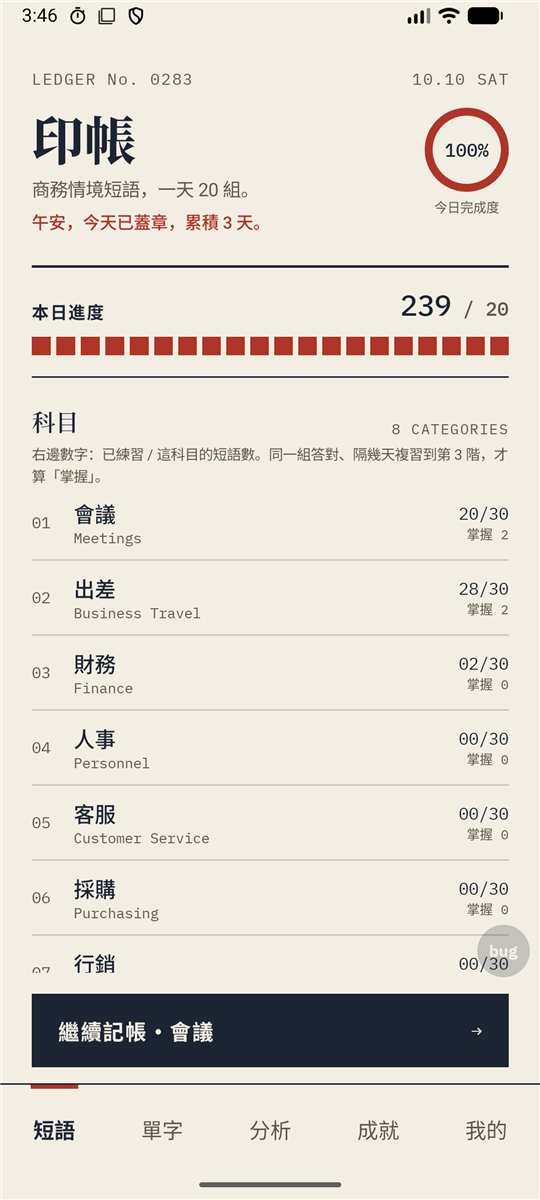
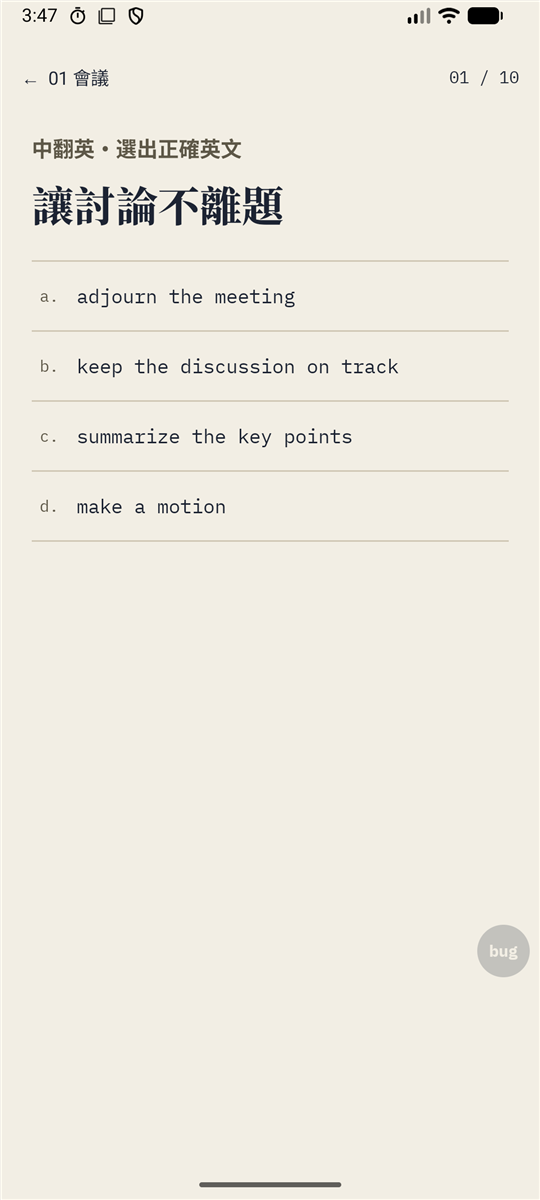
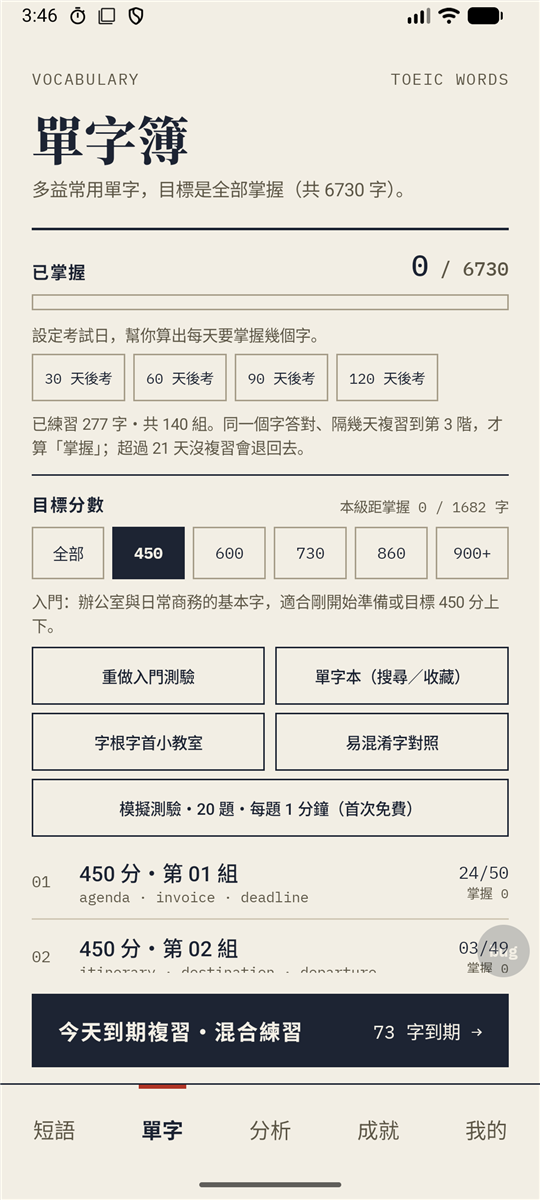
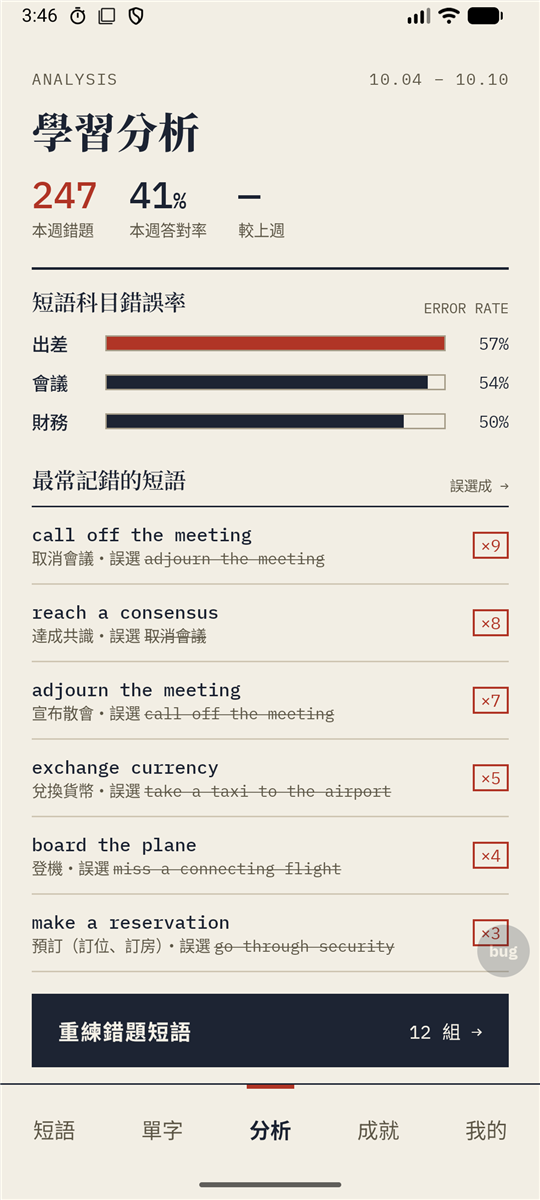
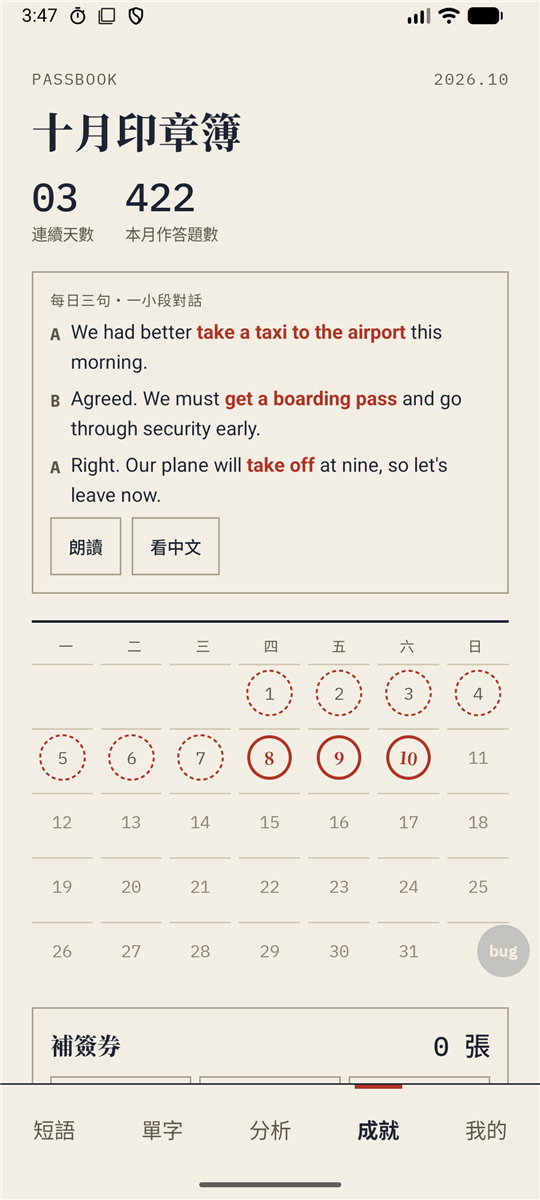
Practice daily and stamp today's page (swipe for more; screenshots show the Chinese interface).
- Everyone gets itFinish 14 days, not just the first 12
- 100 spotsSign-ups close when full
- Android 8.0 or laterNo iPhone this time; register interest below
- 14 days in a rowOpen it daily; don't leave or uninstall
- One Google accountThe same for the group, Play Store and app sign-in
- TalkBack readyThe app and this page work with screen readers
Note: the app is in Traditional Chinese, for Chinese-speaking TOEIC learners.
First register your email below and the steps to join appear here.
Five steps to join the test
Use the same Google account throughout, or Google won't recognize you as a tester.
- Join the test group: check the account at the top right, then tap "Join group".
- Wait about 30 minutes: going on too early shows "app not found".
- Become a tester: tap "Become a tester".
- Install Stamp Ledger: make sure the Play Store uses the same account.
- Sign in to the app with the same account: "我的" (Me) tab → "用 Google 登入" (Sign in with Google). Your reward goes to this account.
Important Open the app daily for 14 days in a row; then your reward is added automatically and we'll post in the group.
Register (required to download)
After you register, the steps to join appear above.
Official LINE (optional)
If you like, add our official LINE account. We use it for test notices and questions. After adding us, send the keyword 多益 (Chinese for "TOEIC"). Our replies are in Chinese or English.
Found a problem? How to report it
- Tap the in-app "bug" button and write a line (a screenshot is attached; sign in with Google first)
- See progress and replies in the app; with TalkBack it's read as "Report a problem"
- Or post in the group, or email zifubazaar@gmail.com
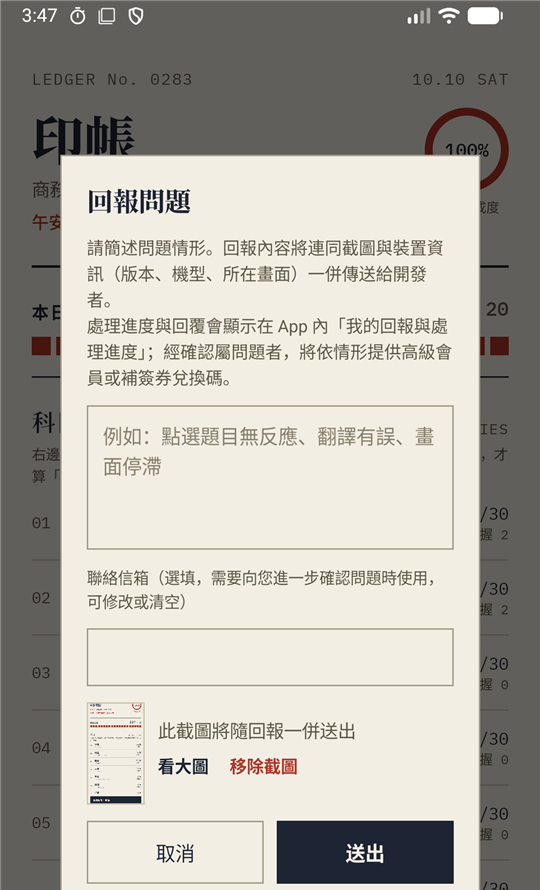
- Tap the "bug" button at the bottom right.
- You must sign in with Google to report: go to the "我的" (Me) tab and tap "用 Google 登入" (Sign in with Google). Use the same account you joined the test with.
- Briefly describe what happened and tap send. A screenshot, your phone model and the app version are attached automatically.
- Progress and replies show up inside the app: tap the "bug" button again to see "我的回報與處理進度" (My reports and progress).
FAQ
Why 14 days?
Google Play requires 12 or more testers to stay in a closed test for 14 days in a row before launch.
Why wait 30 minutes after joining the group?
Google needs time to sync group members to the test list. Still failing after a few hours? Check you used the same account for every step.
What emails will the group send me?
Only test notices (new versions, the end of the test, your reward). You can switch the group to "No email", but don't leave it: leaving the group means leaving the test.
Can I take part if I can't see the screen?
Yes, you're very welcome. The app supports TalkBack (headings, tabs, switches and numbers are read out), and the top of this page has a "Skip to the sign-up form" link. If something isn't read out or can't be tapped, use the "Report a problem" button or email zifubazaar@gmail.com.
What will you do with my email?
We only collect your email and your answers to the three questions. We use them to contact you, to find your app account and grant premium and, depending on your answers, to tell you about future product tests or the iOS version later. We never use them for ads and never sell or share them with third parties. Joining the Google group makes your Google account a member of that group, which Google handles under its own privacy policy; we only use the group to send test notices. Joining our official LINE or sending us your account on LINE is optional; those messages are handled by LINE under its own privacy policy, and we only use them to confirm your sign-up and to talk about the test.
If you tap "Fill in my email with Google", we only read the email of the account you pick and put it in the field. Right after that we delete the temporary sign-in record that button just created (it is only used to read your email and has no use in the app). We don't keep your Google name, photo or any other data. If you already have a Stamp Ledger account, this does not delete or change it.
How long we keep it: if you answered "No" to both the future-test and iOS questions, we delete your email after the test ends and your premium has been granted. If you answered "Yes/Maybe" or "Yes/Not sure", we keep your email for future notices for up to 2 years, and you can email zifubazaar@gmail.com at any time to have it deleted. Deleting your sign-up only removes the data on this sign-up page. It does not affect your app account, and the app's "Delete account and all data" does not include this sign-up either, so please email us to have it removed.
What do I need to test?
Use it as you normally would and open it every day; report problems with the "bug" button.
How do I get the 3 months of premium?
It's added to your account automatically after the test and takes effect when you open the app. You need to have signed in to the app with the same Google account as your registered email (if not, we'll add it after you sign in).